Open-source firmware · M-VAVE FM-1
FM-1 firmware a kid can read.
Pictures instead of menus. Four coloured knobs. Switch it on and play in seconds, and pick the Gnome: he sings along.
Try it now: free firmware Gnomad on GitHub
- Free firmware, out now
- Lessons: coming to iPhone and iPad
- For everyone, all ages
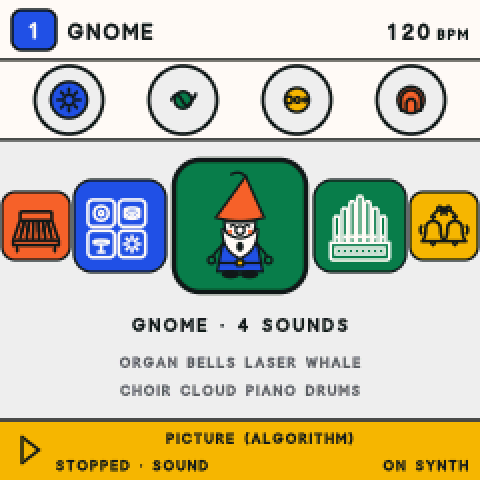
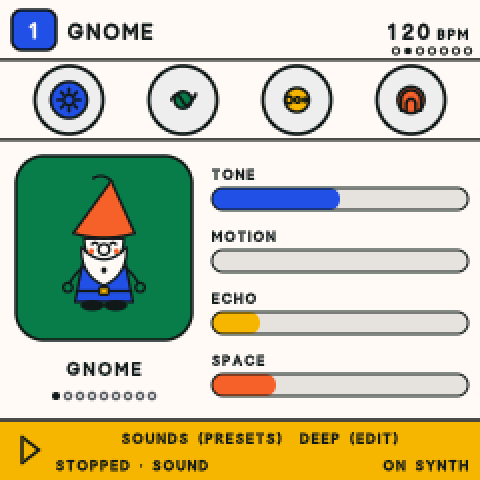
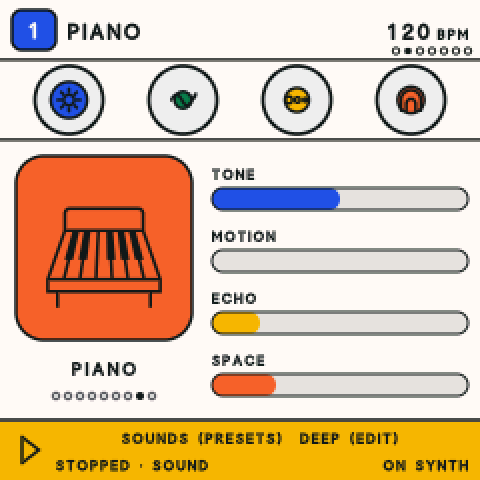
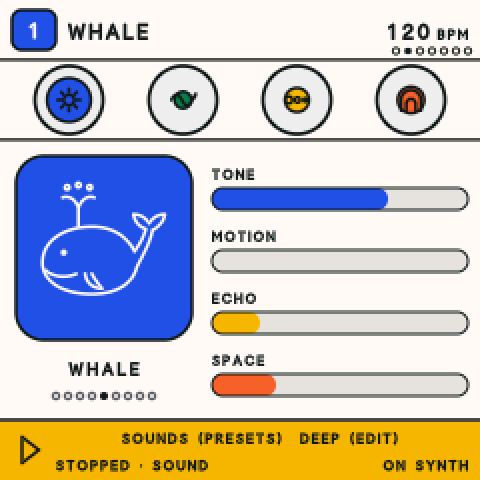
- Pictures, not menus. Every sound is a picture. Turn ALGORITHM and the pictures go round.
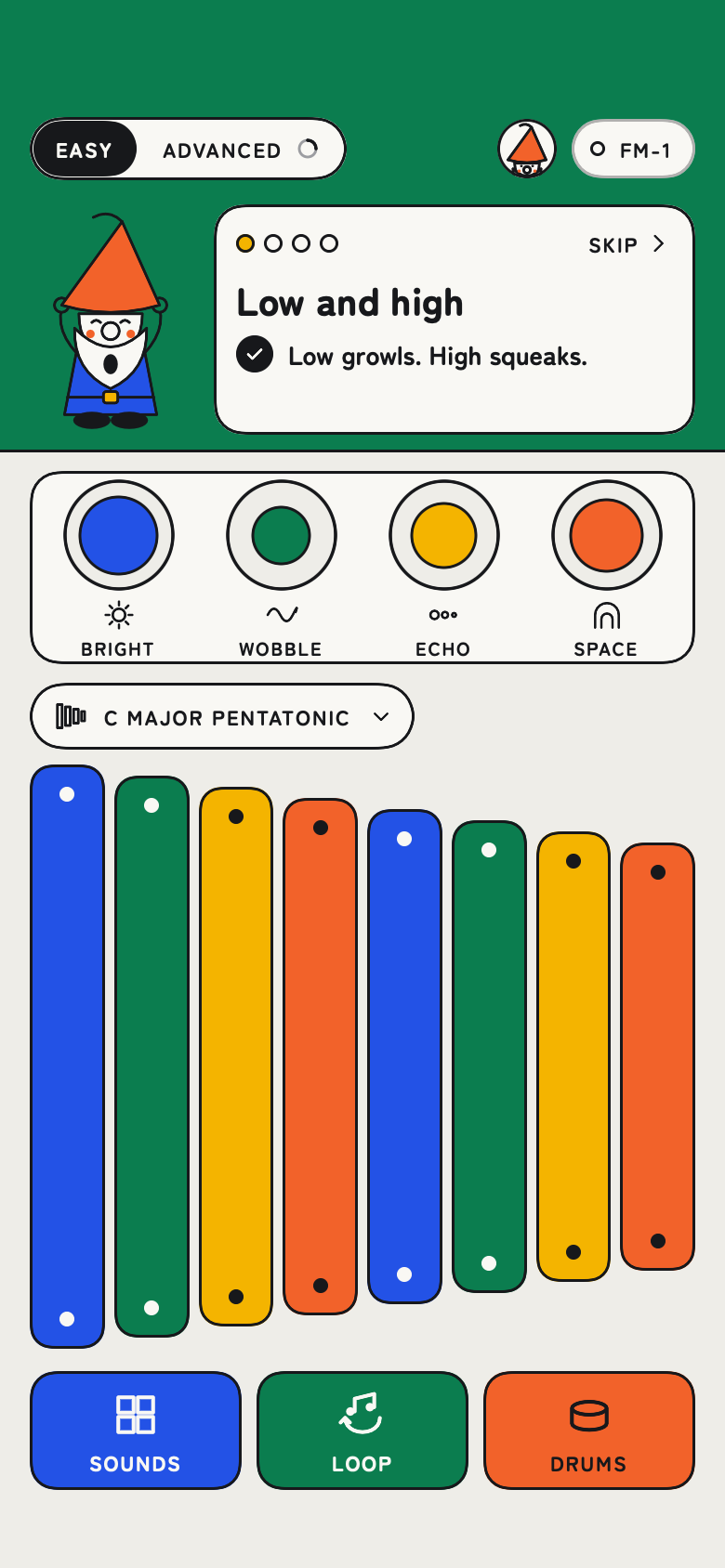
- Four knobs, four colours. Tone, motion, echo and space, in the same colours on the screen.
- Play the keys. Low notes on the left, high on the right. On a drum kit, the white keys are the drums.
- Tap SAVE, or just stop. It saves by itself. Unplug it, pocket it, pick it up tomorrow where you left off.
What makes Gnomad different
- 01 · The easy one
Pictures instead of menus.
There are lots of firmwares for the FM-1 now. Ours is the easy one: ten sound pictures and short, clear words right on the synth's screen.
- 02 · Four coloured knobs
Blue, green, yellow, vermilion.
The screen uses the same four colours as the knobs, so you always see what your hands are shaping: tone, motion, echo and space.
- 03 · Play and loop on the bar
Grooves, loops and live moves.
Jam over five built-in grooves, record a loop with a count-in click, and restart or stop cleanly at the end of the bar.
Gnomad Synth V1 is free, open-source custom firmware for the M-VAVE FM-1 synth (GPL-3), an independent fork of Felucca by Leo Kuroshita / Hügelton Instruments. Today you install it from a computer.
Ten pictures. 57 sounds.
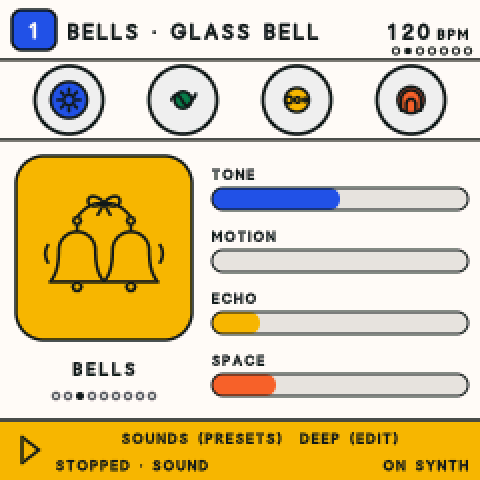
Turn ALGORITHM and the pictures go round. You don't have to be able to read to find a sound: every picture here is cut straight from the FM-1's screen, pixel for pixel.
 Gnome
 Organ
 Bells
 Laser
 Whale
 Choir
 Cloud
 Piano
 Funny sounds
 Drums
Easy FM-1 firmware: pictures, not menus.
There are lots of firmwares for the FM-1 now. Ours is the easy one. Easy is the synth's own screen, redrawn: big pictures, big letters, and four colours that match its four knobs. No phone needed.
-
Pick a picture.
Gnome, organ, bells, laser, whale, choir, cloud, piano, drums. Each picture is a sound.
-
Make it yours.
Four knobs, four colours: tone, motion, echo, space.
-
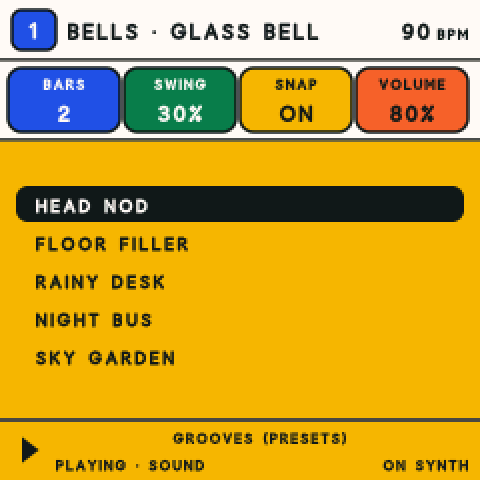
Jam on a groove.
Five grooves to play over: Head Nod, Floor Filler, Rainy Desk, Night Bus and Sky Garden.
-
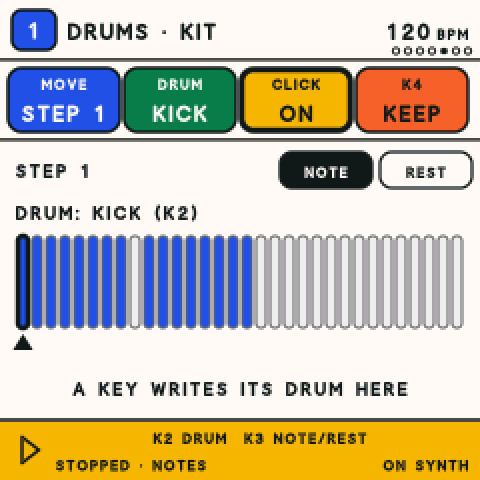
Record a loop.
Press REC and play, or tap steps on the keys. The click keeps you in time.
-
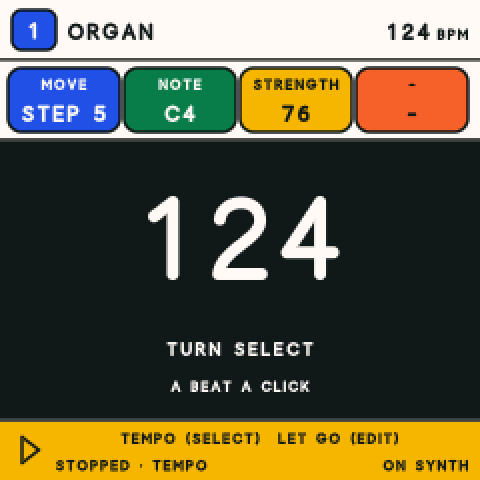
Set the beat.
Turn one knob for the tempo. The metronome counts it out.
-
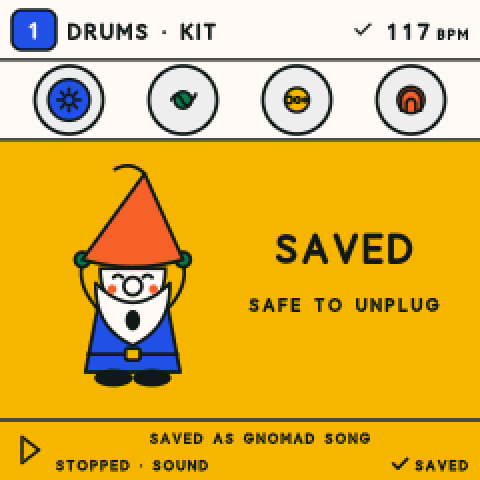
Walk away.
It saves by itself. Unplug it, pocket it, pick it up tomorrow where you left off.
Every screen on this page is real, straight from the synth or the app. Nothing here is a mock-up.
How to do all of this, step by stepThe map: every button and page
A kid can read it. The Gnome sings.
Every sound is a picture and every word on the screen is short, so a kid can find their way round on their own. Pick the Gnome's picture and he sings a little syllable on every key you play: sounds, never words.
Kids pick it up by playing. Grown-ups finally get the bit the manual never explained.
For everyone, all ages: an easy synth for kids, and for grown-ups who are new to synthesizers.
See it on the synth.
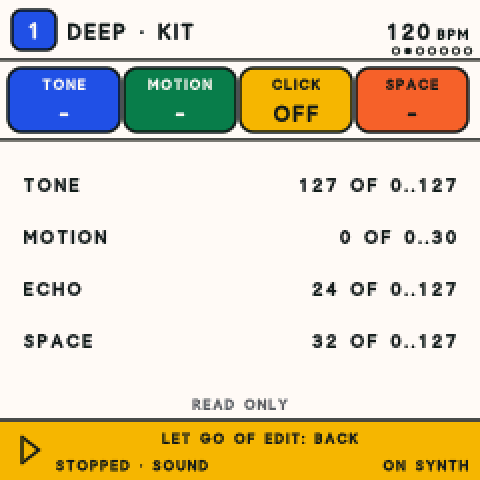
Four pages from Easy, magnified so you can see every pixel. Pick one.
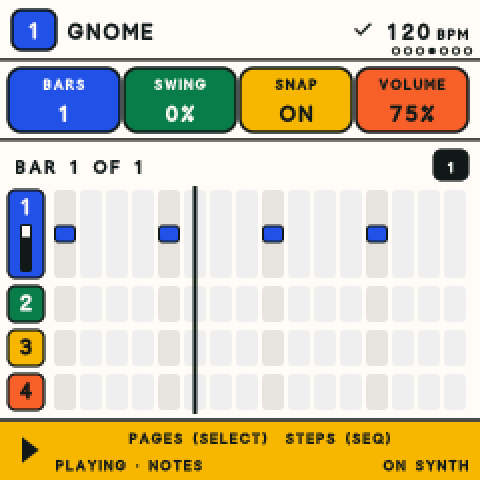
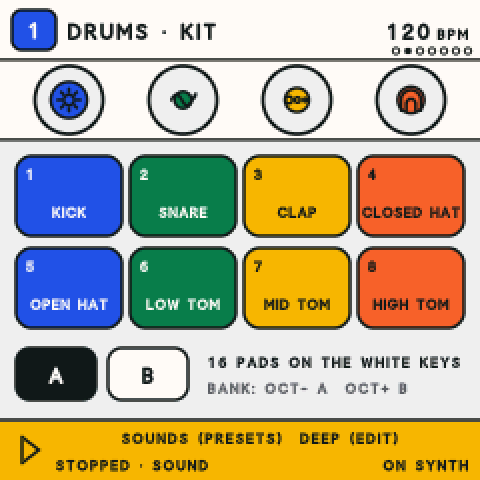
Still a real synth underneath.
Flip from Easy to Advanced and nothing is hidden: our own sound engines and the real numbers, on the synth.
- FM
- Glassy keys, bells and hard basses.
- Analog
- Warm oscillators through a filter.
- The Gnome
- A singing vowel voice.
- Drums
- Kits laid out on the white keys.
- Samples
- Short sounds, played from the keys.
Try it now: free FM-1 firmware.
Gnomad Synth V1 is free and open source (GPL-3). The source, the download and the install steps are on GitHub.
- Download the package from the latest release on GitHub.
- Plug your FM-1 into a computer with a USB data cable.
- Follow INSTALL.md: one Python script does the rest, in about a minute.
Latest release on GitHubSource code
Today you install it from a computer, not from a phone. Installing from a Mac is proven on a real FM-1; Windows and Linux use the same script but are not tested by us yet. The signed package is also here: release 12.
Back to stock. Want the FM-1's own firmware back, or Felucca? INSTALL.md shows how. Read it before you start: going back is documented, but we have not proven it on hardware yet.
Built on Felucca. Gnomad is an independent fork of Felucca, the open firmware for the FM-1 by Leo Kuroshita / Hügelton Instruments. Thank you, Leo.
- You need
- An M-VAVE FM-1 and a USB data cable.
- To install
- A computer with Python 3. Proven on a Mac.
- For lessons
- The Gnomad app for iPhone and iPad, coming.
No account, no ads, no tracking: not in the firmware, and not on this site. This site collects nothing.
Lessons built in: Music with the Gnome.
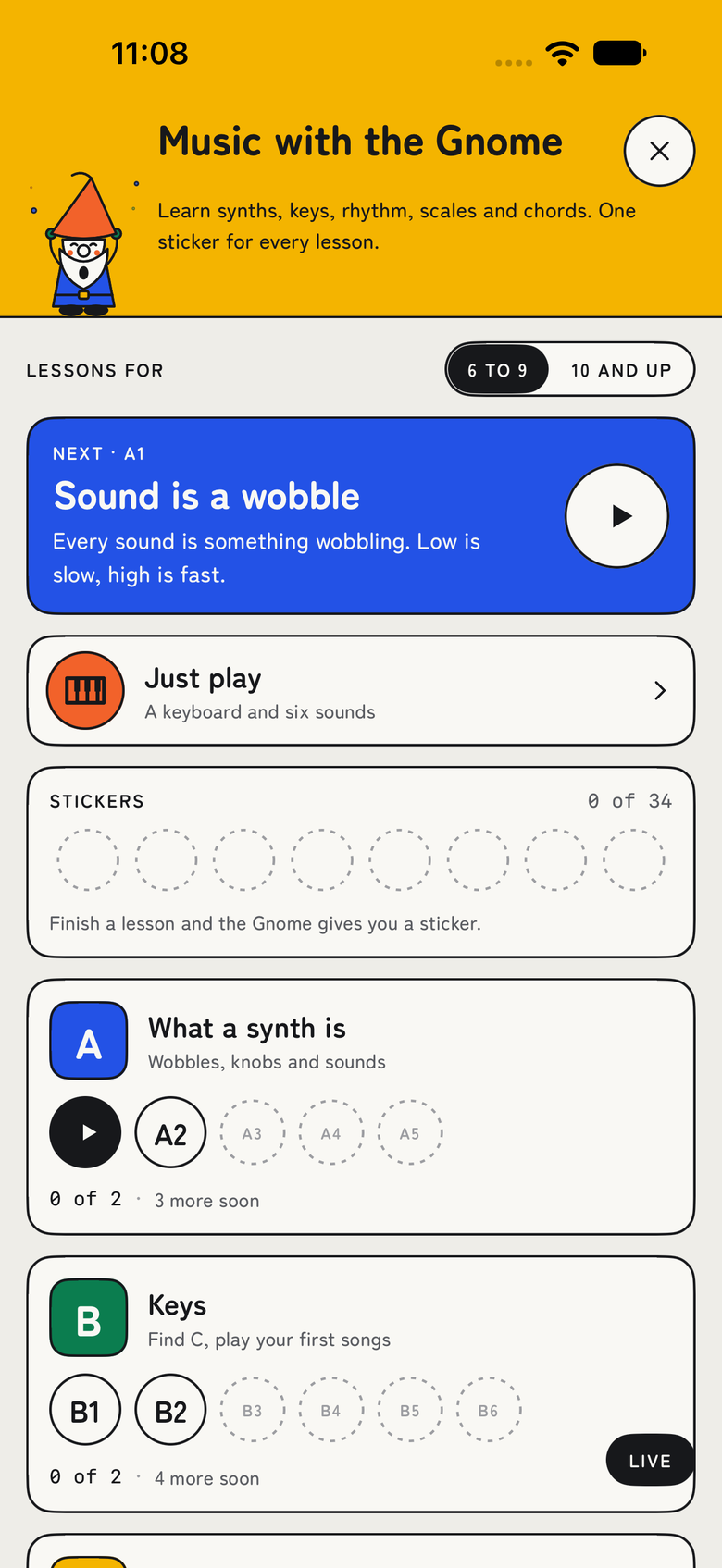
The Gnome teaches how synths work: what a sound is, keys, rhythm, scales and chords. In the Gnomad app, one short lesson at a time on your own FM-1, with a sticker for every lesson you finish.
There is a Learning pack for kids too: six lessons, each under a minute. High and low, Turn the knobs, Make a beat, Sing your name, Layers and Jam.
Coming To iPhone and iPad, with lessons built in.
The lessons live in the Gnomad app, which is not out yet. Want it? Tell Kyle, and he will let you know when it is ready.
Questions about Gnomad and the FM-1.
Short answers. The long ones are in INSTALL.md and the how-to.
What is Gnomad?
Gnomad Synth V1 is free, open-source custom firmware for the M-VAVE FM-1 synth. It replaces the FM-1's own firmware with Easy mode: ten pictures and 57 sounds, four coloured knobs, a Gnome who sings, grooves and a loop recorder. Advanced mode is still there, with four tracks, a step sequencer, effects and MIDI over USB and TRS. Gnomad is an independent fork of Felucca by Leo Kuroshita / Hügelton Instruments.
Does it work on any M-VAVE FM-1?
It is made for the M-VAVE FM-1 and nothing else, and the installer checks that it is talking to an FM-1 before it writes anything. You can install it over the stock firmware or over Felucca. We have installed it many times on a real FM-1 from a Mac. If yours behaves differently, tell us on GitHub.
How do I install it?
From a computer, in about a minute. Download the package from the latest release on GitHub, connect the FM-1 with a USB data cable, set up Python 3 with mido and python-rtmidi, and run the install script. INSTALL.md has every step. Installing from a Mac is proven; Windows and Linux use the same script but we have not tested them yet. There is no phone installer. Installing custom firmware is at your own risk.
How do I go back to stock or to Felucca?
INSTALL.md documents both: the official M-VAVE V15 file, or Felucca 1.0.1, installed with the same script. Please be careful: going back to stock has not been proven on real hardware by us yet, and going back to Felucca has not been tested by us. Going back also erases what Gnomad saved on the synth, such as your songs and sounds. Read INSTALL.md before you start.
Is it free?
Yes. The firmware is free and open source under the GNU General Public License v3. There is no account, no ads and no tracking, in the firmware or on this site.
Is there an app?
Not yet. The Gnomad app for iPhone and iPad is coming, with the lessons, Music with the Gnome, and a Learning pack for kids. Want it? Tell Kyle on GitHub Discussions, and he will let you know when it is ready.
Play it today. The lessons are coming.
The firmware is free on GitHub now. The app, with the Gnome's lessons, is coming to iPhone and iPad.